
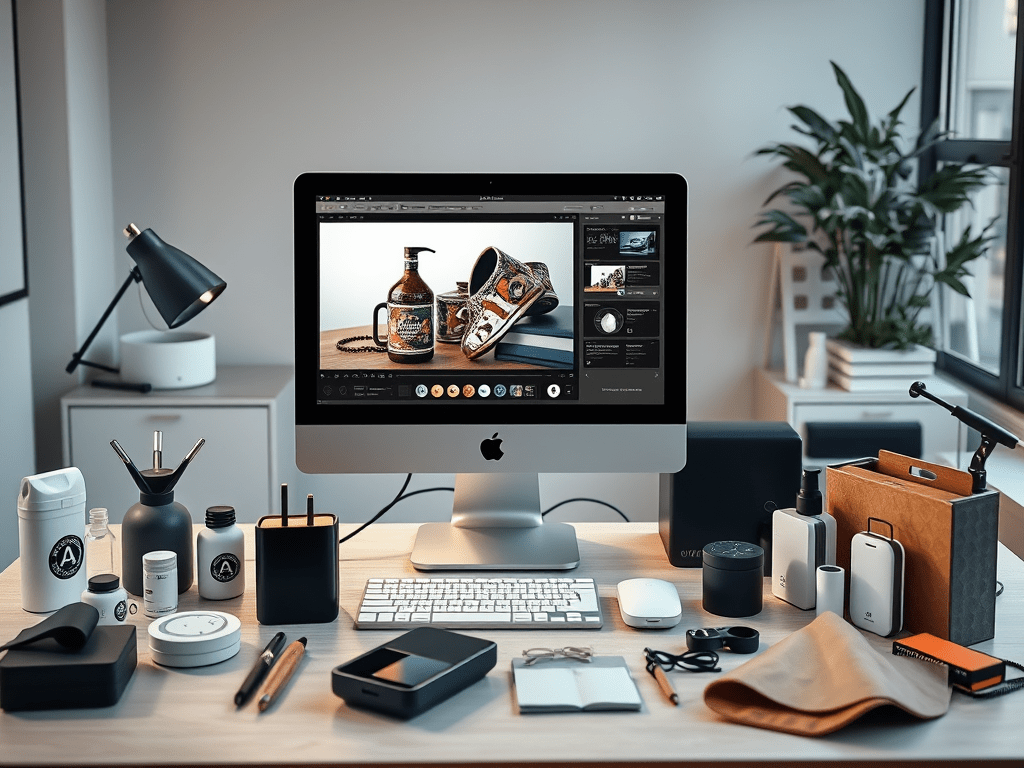
Image Source: AI Generated from Promeai.pro
Shopping cart abandonment affects 70% of online purchases, but AI product photography is reshaping the scene. Quality product visuals now influence 64% of consumers to complete their purchases.
AI product photography has become crucial for online sellers. Modern AI-powered platforms provide an affordable alternative to traditional photography. Sellers can now customize lighting, backgrounds, and styles without expensive equipment.
Creating professional product images can be challenging. This piece will help you use AI product photography tools. You’ll learn to pick the right AI generators, set up workflows, and create stunning photos. We’ll guide you through each step to improve your product visuals.
Want to cut cart abandonment rates and boost your sales with AI-generated product images? Let’s take a closer look!
Understanding AI Product Photography Basics
AI product photography uses advanced algorithms to create, modify, and boost product images without traditional photography equipment. The technology looks at existing images and creates photorealistic visuals from text prompts or sample images.
What is AI Product Photography
AI product photography uses machine learning algorithms to automate image creation and editing. It can generate new product images, remove backgrounds, adjust lighting, and create lifestyle shots on its own. The technology processes and analyzes huge amounts of visual data to produce high-quality, customized product images that match brand guidelines.
Benefits for Online Sellers
Online sellers gain major advantages by using AI product photography. It helps businesses cut their product photography costs by up to 60% and improves workflow efficiency by 40%. Here are the most important benefits:
- Images generated in minutes instead of days
- Backgrounds removed and edited automatically
- Unlimited style variations and customization options
- Brand imagery stays consistent everywhere
- Easy scaling for large product catalogs
AI product photography also lets you quickly adapt to seasonal changes and marketing campaigns without new photoshoots.
Common Misconceptions and Limitations
In spite of that, AI product photography has its limits. The technology works well with simple product shots but doesn’t deal very well with intricate details and complex textures. Some businesses think AI completely replaces human creativity, but it actually works as a tool that boosts human capabilities.
The technology also has trouble capturing subtle product features and getting colors exactly right. So many brands use both AI-generated images and traditional photography to get the best results.
The AI-generated imagery market keeps growing and could reach USD 207.00 billion by decade’s end. These numbers look impressive, but remember that AI tools work best with human expertise and clear brand guidelines.
Choosing the Right AI Product Photography Tools
Your choice of AI product photography tool can make or break your online business success. The market has many options. Each tool brings its own strengths to the table.
Top AI Product Photography Generators
Pebblely shines as a great pick for small businesses and Etsy sellers. It comes with easy bulk processing and over 40 pre-made themes. We designed it to give quick, professional results without needing advanced skills.
Flair.ai creates amazing lifestyle product photos with realistic settings. It also gives you a design studio experience. Users can add 3D objects and human models to their photos.
Claid.ai helps you enhance, generate, and edit product photos with its complete feature set. PhotoRoom focuses on mobile optimization, which works great for sellers who are always on the move.
Free vs Paid Options
CreatorKit lets you generate unlimited product photos at no cost. You only pay for the images you download. Adobe Firefly costs $5.00 per month and gives you lots of customization options.
Traditional product photography costs between $100.00 to $300.00 per hour. AI tools are much cheaper at $10.00-$49.00 monthly. Some even offer solid free versions.
Tool Selection Criteria
These key factors will help you pick the right AI product photography tool:
- Pricing that lines up with your long-term business goals
- Consistent, professional-quality images
- Easy-to-use interface and helpful learning resources
- Company’s track record and dedication to improvement
- Clear copyright policies and image ownership terms
- Regular updates and reliable technical support
AI-powered photography has clear advantages over traditional methods in automation and cost. The best tool depends on what you need, your budget, and the quality you’re after. Most platforms let you try before you buy with free trials.
Setting Up Your AI Photography Workflow
A systematic approach and attention to detail will help you set up a successful AI product photography workflow. Research shows that 75% of online shoppers base their purchasing decisions on product photography. This makes proper workflow setup vital for success.
Preparing Products for AI Photography
Quality input images are the foundations of successful AI-generated product photos. Your products should be clean and well-presented before shooting. Take clear reference shots with consistent lighting that matches your brand’s style. High-resolution images matter because AI output quality depends directly on what you put in.
Creating Photography Guidelines
Brand consistency across product images needs clear photography guidelines. Use uniform lighting at 45-degree front angles with soft diffusion to reduce shadows. Standard camera angles (0°, 45°, 90°) will create a professional, predictable look throughout your product catalog.
Establishing Quality Standards
Quality control is a vital part of AI-generated product images. Key standards include:
- Resolution requirements of at least 1000px and 72 DPI
- File size limitations under 10MB for optimal processing
- Supported formats: JPEG, PNG, or TIFF
- Consistent background styles that reinforce brand identity
AI tools can process multiple images at once while keeping consistency in product catalogs of all sizes. You should implement quality control to review AI-improved images and ensure they represent your products accurately. AI tools’ automation can cut image processing time from hours to minutes. This leads to faster product launches.
Note that regular quality checks of AI outputs are important. Your workflow should include automated background removal, image enhancement, and optimization. A reliable system to generate professional product images at scale needs strict quality standards and proper guidelines.
Mastering AI Product Photo Generation
Creating stunning AI product photos requires you to master three simple elements: well-crafted prompts, perfect lighting, and relevant backgrounds. Let’s dive into each component to help you improve your product photography skills.
Writing Effective Prompts
Well-crafted prompts form the foundation of high-quality AI product images. You need to include these elements in your prompts:
- Material descriptions and textures
- Lighting specifications and mood
- Camera angles and points of view
- Background environment details
- Style references and artistic direction
We started with simple descriptions and added specific details gradually. To name just one example, instead of writing “product on table,” you should write “sleek metal watch on marble countertop with soft morning light”. In fact, your results will improve by a lot when you add professional photography terms like “shallow depth of field” or “cinematic color grading”.
Optimizing Lighting and Angles
Lighting shapes your product’s perceived value. You should specify lighting conditions in your prompts, such as “soft studio lighting” or “warm natural light”. AI tools generate various lighting scenarios, but knowledge of traditional photography principles creates more authentic results.
These key angles deliver optimal results:
- Front angle (0°) for primary product views
- Profile angle (90°) for side details
- 45-degree angle for dimensional shots
- Top-down view for flat lay compositions
The 45-degree angle works best as it shows both front and side details of your product. This angle adds depth and dimension, making products more appealing to potential buyers.
Background and Context Creation
AI-generated backgrounds can boost conversion rates up to 30%. Content-aware algorithms adapt to your product and create appropriate settings. A coffee maker might appear in a cozy kitchen setting, which helps customers visualize its use.
Your compelling backgrounds should have:
- Scene relevance to product category
- Brand color palette consistency
- Lifestyle context integration
- Seasonal appropriateness
Background selection plays a vital role in product presentation. Inappropriate contexts can distract from your product’s key features. AI tools help you generate unlimited background variations while keeping your brand consistent.
Note that quality standards matter in all generated images. Each variation should match your brand guidelines while offering fresh views of your products. These three elements will help you create professional-quality product images that boost engagement and sales.
Post-Processing and Quality Control
AI-generated product images need post-processing to achieve perfection. AI-driven technologies create value worth USD 2.60 trillion in marketing and sales across industries.
Image Enhancement Techniques
AI tools simplify the editing process and make it more accurate. These tools analyze images to boost:
- Resolution enhancement and sharpening
- Color correction and white balance adjustment
- Noise and compression artifact removal
- Background removal or blurring
- Aspect ratio optimization
AI systems process images much faster than humans and verify them instantly on high-speed production lines. AI tools use deep learning algorithms to analyze and understand image content while preserving the image’s integrity during enhancement.
Consistency Checks
AI product photography demands careful attention to detail. The systems verify images using seven key parameters:
- Product model accuracy
- Color precision
- Size consistency
- Horizontal and vertical offset
- Arrangement
- Color accuracy
AI algorithms check images to ensure consistent lighting across product photos. The system creates analytical insights about production trends and defect patterns after processing. This automated approach helps maintain quality standards in large product catalogs.
Common Issues and Solutions
AI tools excel at batch processing, but some challenges need attention. The most common problems include:
Poor Quality Input: Blurry or low-quality photos might resist AI enhancement. Better reference shots or specialized AI upscaling tools can solve this issue.
Color Accuracy: Colors, especially specific product shades, might not reproduce perfectly. Color calibration with reference charts helps maintain accuracy.
Background Inconsistencies: Different backgrounds can disrupt visual harmony. AI tools now offer automated background standardization for a cohesive look.
High standards in AI product photography need both automation and human oversight. AI spots subtle defects that humans might miss, but regular quality checks ensure the output matches brand standards. Professional product images that boost customer engagement and sales come from reliable post-processing workflows and quality control measures.
Conclusion
AI product photography can revolutionize your online business with budget-friendly, high-quality product visuals. This piece explores everything from simple concepts to advanced techniques that will help you create stunning product images.
The success of AI product photography relies on the right tools, optimized workflows, and consistent quality standards. Companies save 60% on photography costs and improve their workflow efficiency by 40% when they implement AI solutions.
Your path to becoming skilled at AI product photography begins with small steps. Test different AI tools first. Create detailed prompts and build your workflow gradually. As your confidence grows, try different lighting setups and backgrounds to create unique, engaging product presentations.
Quality control is vital to achieve professional results. Each AI-generated image should meet your brand standards and showcase your products effectively. Our free newsletter helps you stay current with AI image news and enhance your skills.
These techniques and insights will help you create professional product images that boost sales and reduce cart abandonment rates. Put these strategies into action today and watch your product photography evolve from good to exceptional.
FAQs
How can AI product photography benefit online sellers? AI product photography can reduce costs by up to 60% while improving workflow efficiency by 40%. It enables rapid image generation, automated editing, unlimited style variations, and consistent brand imagery across platforms, all without expensive equipment.
What should I consider when choosing an AI product photography tool? Consider factors such as pricing structure, image quality consistency, user interface accessibility, company background, copyright policies, and technical support availability. Most platforms offer free trials, allowing you to test before committing.
How do I create effective prompts for AI-generated product photos? Focus on including detailed descriptions of materials, textures, lighting, camera angles, and background environment. Use professional photography terms and gradually add specific details to improve results.
What are the key angles to consider in AI product photography? The most important angles are the front angle (0°) for primary views, profile angle (90°) for side details, 45-degree angle for dimensional shots, and top-down view for flat lay compositions. The 45-degree angle is particularly versatile, showcasing both front and side details.
How can I ensure consistency in AI-generated product images? Establish clear photography guidelines, including uniform lighting and standard camera angles. Implement a quality control process to review AI-enhanced images, ensuring they meet your brand standards and accurately represent your products. Regularly check and adjust AI outputs for quality assurance.



 PixelOne.AI
Leave a comment