

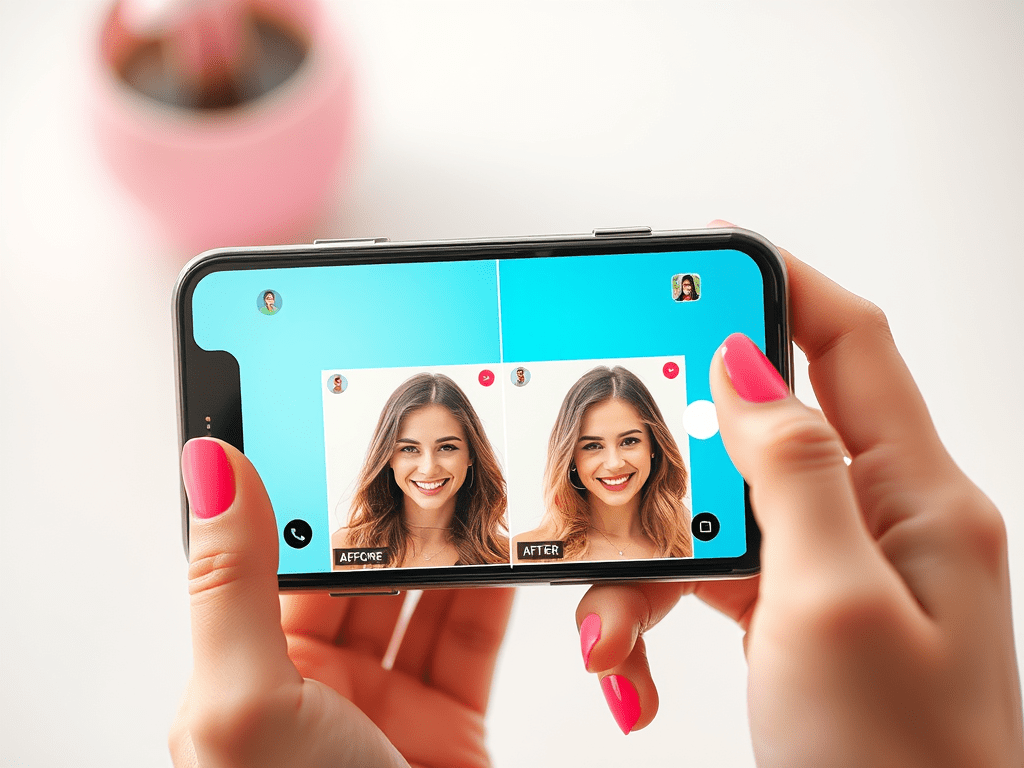
Image Source: AI Generated from Promeai.pro
Visual content dominates social media. LinkedIn posts with images receive 98% more comments, while tweets with visuals are three times more likely to attract participation.
The viral power of visual content has convinced 63% of marketers to boost their influencer marketing budgets. AI tools remain a primary investment focus. Content creators and influencers face a persistent challenge – creating high-quality visuals takes considerable time.
AI-powered design tools offer a revolutionary solution. Content creators can now produce professional graphics without advanced design expertise. These tools help them double their social media content output efficiently.
This piece will guide you through using AI tools to create attention-grabbing social media visuals that capture your audience’s interest. You’ll learn everything from image generation to visual optimization to change your social media presence.
Essential AI Tools for Social Media Visuals
You don’t need to be a design expert to create great social media visuals anymore. Here are some AI tools that will make your content creation much easier.
Image Generation Tools
Adobe Firefly is a powerful AI image generator that creates commercial-safe images for social media content. The web version lets you pick specific aspect ratios and content types. You can even adjust the depth of field for your visuals. The tool is particularly good at creating realistic human faces without the usual AI distortions.
Canva’s Magic Studio adds AI power to your design process. Magic Design helps you create custom, branded social media posts. The Text-to-Image feature turns simple descriptions into visuals quickly. You can start with a free plan, while Canva Pro’s advanced AI features cost $12.99/month.
Video Creation Platforms
FlexClip helps social media content creators make professional-quality videos for YouTube, Instagram, and TikTok. The platform comes with AI-powered features that convert text to video, generate scripts, and create subtitles automatically.
Synthesia changes how we make videos by removing the need for cameras or studios. The platform creates videos in over 120 languages and accents. This can save up to 80% of your production time and budget.
Design Enhancement Solutions
Let’s Enhance uses advanced AI technology to make your images look better. The platform’s Super Resolution machine learning algorithm keeps fine details intact while fixing pixelation and blur. This ensures your social media visuals stay crisp and professional.
Buffer helps optimize content across multiple platforms with AI assistance. The tool generates ideas and repurposes existing content. This makes it easier to keep visual quality consistent across Facebook, Twitter, Instagram, and LinkedIn.
Ocoya offers a complete visual management solution powered by AI that combines image generation with content optimization. The platform helps you:
- Create images from text prompts
- Make copy variations in multiple languages
- Create content for specific platforms
- Add relevant hashtags automatically
These tools will streamline your visual content creation. You can focus more on strategy and engagement instead of technical details.
Creating Your Visual Content Framework
Your visual content needs a solid framework that starts with proper organization and planning of your social media presence. A well-laid-out social media calendar becomes your foundation and helps you save time while keeping consistency on all platforms.
Content Type Analysis
The first step looks at your content mix to make sure you have variety and your audience can participate. Your social media visual strategy should include:
- Instagram posts: 3-5 posts weekly
- Instagram reels: 5-7 reels weekly
- Instagram stories: 7-15 stories weekly
- Facebook posts: 3-5 posts weekly
- TikTok content: 5-7 posts weekly
This mix lets you stay active while you test different content formats. You can track how each content type performs to refine your strategy and focus on what resonates with your audience best.
Resource Assessment
A full picture of your available resources and tools should come before content creation starts. This helps spot gaps in your current setup and shows where AI tools add the most value. Your team’s capabilities, available time, and technical expertise need careful thought.
Your resource analysis should focus on three key components:
- Inventory existing visual assets and their performance metrics
- Analyze keyword rankings and engagement rates
- Perform competitive analysis to identify opportunities
This assessment helps you optimize resource allocation and find areas where AI tools can boost your workflow.
Timeline Planning
A detailed timeline is vital to deliver content consistently. Your social media calendar should map out upcoming posts by date and time, giving you a quick overview of planned content.
A well-crafted timeline streamlines team collaboration and aids strategic planning for product launches, campaigns, and events. A digital calendar or social media management platform with an interactive dashboard works great for scheduling posts.
Key dates, seasonal trends, and product launches should shape your timeline to keep content relevant. Your team can focus on creating quality content instead of rushing for last-minute ideas this way.
A central hub for content scheduling makes the approval process simpler and lets stakeholders see planned content easily. This approach optimizes workflow and helps maintain your brand’s voice and style consistently across platforms.
Mastering AI-Powered Design Techniques
AI-powered design tools have changed how we create visual content. These smart tools analyze huge amounts of data to suggest design elements that strike a chord with target audiences.
Color and Typography
Khroma’s AI algorithm learns your priorities and creates unlimited palette combinations that match your brand identity. The system studies thousands of popular human-made palettes online to create harmonious color combinations. You can search and filter by hue, tint, value, and specific hex codes.
Tools like Ideatum help turn simple ideas into professional-looking designs. The system creates harmonious font combinations and ideal sizing ratios for balanced, meaningful designs.
Layout Optimization
AI-driven layout optimization helps create visually appealing content without advanced design skills. Canva’s Design Suggestions feature gives smart recommendations based on your content needs. VistaCreate’s easy-to-use interface lets you customize templates through a simple drag-and-drop editor.
The AI studies your design elements and suggests improvements for:
- Visual hierarchy and balance
- Content spacing and arrangement
- Brand consistency across platforms
- Element positioning and sizing
Visual Effects and Filters
AI video effects turn ordinary clips into eye-catching content. These effects boost storytelling and create deeper connections with audiences. The technology processes multiple aspects of your content at once, including:
Fitness influencers and food bloggers find AI-powered effects useful to highlight movement and boost visual appeal. These tools highlight textures and colors easily, making content more engaging for your audience.
AI-driven visual enhancement tools help with automatic background removal and image retouching. Let’s Enhance makes use of advanced AI technology to upscale images up to 16 times their original resolution while keeping the finest details. The system excels at facial and text sharpening, so your social media visuals stay crisp and professional on all platforms.
Platform-Specific Visual Optimization
Social media platforms just need different visual specs to make the biggest splash. You’ll get better engagement on every platform when you know what works best.
Instagram-Optimized Visuals
Piktochart AI makes Instagram content creation simple with its special templates and AI features. You write a short prompt about your content goal (up to 120 characters), and the system creates eye-catching visuals that fit Instagram’s format. The platform has ready-made templates that get more engagement while keeping your brand look consistent.
Remini’s AI technology makes blurry or low-quality images look better. You can use it to:
- Fix color balance
- Make backgrounds blurrier
- Improve facial features
TikTok Video Enhancement
TikTok’s AI content rules are big on being clear and real. You must tell viewers when AI has created or heavily edited your content. This rule applies when:
- People in videos do things they didn’t actually do
- The voice is AI-made
- AI changes how someone looks
CapCut’s AI lets you remove backgrounds quickly, so you can film anywhere and switch backgrounds easily. ByteDance’s LatentSync model now makes lip-syncing look smoother, with better mouth movements and face structure in AI content.
Multi-Platform Adaptation
Videos need different formats on each platform. TikTok and Instagram like tall videos, while YouTube works better with wide ones. AI tools can now help by:
- Resizing videos instantly for each platform
- Adjusting the main focus when reformatting
- Changing copy automatically for different formats
Adobe Premiere Pro’s Auto Reframe looks at your video and fixes the framing for different sizes, which makes platform-specific versions easier to create. This makes the whole process much quicker while keeping videos looking good.
Runway ML gives you real-time editing with instant previews, so you can tweak your input and model settings right away. The platform’s Deep Learning Integration lets you train your own models with your data to create custom AI visual content.
These platform-specific tweaks help your content look great wherever you share it. Success comes from knowing what each platform wants and using AI tools to match those needs quickly.
Automating Your Visual Workflow
Automation helps you scale your social media presence by making your visual content workflow more efficient. The right tools and systems can turn manual tasks into quick automated processes.
Batch Creation Systems
Efficient social media management depends on bulk content creation. Creatomate’s automation solution lets you create multiple social media visuals at once with reusable templates and data feeds. You start by making a template as your visual foundation. Next, you set up a spreadsheet-based feed for variations. Finally, you render all visuals simultaneously and save hours of design work.
These batch creation systems give you:
- Template-based generation that keeps your branding consistent
- Bulk rendering for multiple platforms
- Visual variations from single data sources
Scheduling and Publishing
FeedHive’s AI-powered platform helps you schedule posts when your audience is most active. The system studies how followers behave to pick the best posting times. This approach will give your content more visibility and engagement.
You can drag and drop content in the visual planning interface. The automated triggers handle engagement based on how posts perform. Your presence stays active on multiple channels without constant manual work.
Content Library Management
A central content library helps you manage visual assets efficiently. Brandwatch’s AI-powered system makes content organization simple with automated categorization and smart search. Google Vision integration helps you find assets quickly based on objects, colors, and scenery.
The system captures and stores all influencer posts right after approval. This includes stories, reels, and feed content. Nothing gets missed, and high-quality assets remain available when you need them.
Content libraries do more than just store files. These systems offer:
- Post capture across platforms
- Quick downloads of approved content
- Publishing integration with major social networks
- Smart filtering and search options
IQfluence’s platform shows detailed analytics with your content management. You can track audience demographics, engagement rates, and performance history. Skeepers’ system handles influencer outreach and content creation while managing usage rights.
These platforms blend with external tools through robust APIs. Content flows automatically to Facebook, TikTok, Amazon, and Pinterest. This makes managing content across platforms quick and simple.
Automated systems create a foundation to scale your visual content production. Batch creation, smart scheduling, and central library management turn time-consuming work into an efficient process. You can focus more on strategy and creativity instead of manual tasks.
Advanced AI Visual Strategies
Social media success requires you to remain competitive and learn about what grabs your audience’s attention. ML algorithms now give us unprecedented insights into how content performs and what audiences want.
Trend Analysis and Prediction
AI predicts social media trends by analyzing big datasets quickly. Computer Vision AI gets into video content and identifies objects, actions, text, and emotions in videos. This technology helps creators spot patterns, like specific colors or styles that make content go viral.
Predictive analytics focuses on three main areas:
- Visual element performance tracking
- Audience behavior patterns
- Content format effectiveness
To name just one example, Computer Vision AI analysis showed that 40% of viral dance videos had neon-colored clothing, with yellow leading the pack. These insights help creators make content that lines up with emerging trends before they peak.
Competitive Visual Analysis
AI-powered competitive analysis tools turn complex data into useful insights about rival strategies. These systems track competitors’ digital footprints in websites, social media, and online ads.
Computer Vision AI studies your competitors’ visual content by analyzing:
- Product demonstrations (which get 50% more shares than static images)
- Color schemes and visual elements
- Content format distribution
- Posting patterns and frequency
AI tools can learn about your competitors’ organizational structure, marketing teams, and company culture from LinkedIn and Glassdoor. This complete analysis reveals strengths, weaknesses, and opportunities in your market.
Engagement Optimization
AI algorithms work like skilled detectives to analyze complex audience data and quickly identify relevant audience segments. These systems watch brand mentions and alert teams when negative sentiment rises, which allows quick action before problems grow.
AI optimizes engagement through several key factors:
AI analyzes past user behavior to spot patterns and emerging trends in real time. It processes video content to provide deeper performance metrics. The system also studies your high-value customers’ traits and finds similar profiles across social platforms.
AI-driven sentiment analysis measures how audiences react to your brand and campaigns. Teams can respond proactively to sentiment changes and maintain a strong brand image. AI also helps test content, ads, and engagement strategies by providing evidence-based options that match your goals.
AI tools now suggest custom content strategies and the best times to post based on audience behavior. These suggestions come from analyzing vast amounts of past performance data to reach the right people at the right time.
AI identifies valuable SEO hashtags that fit your niche. These platforms analyze social posts and comments to find trending hashtags, which helps marketers pick engaging options for their campaigns.
Using AI-driven engagement strategies requires careful attention to legal rules and ethical standards. Clear governance policies help avoid reputation and legal risks when tracking competitors or analyzing audience data.
Conclusion
AI-powered visual creation tools have changed social media content creation. What was once a time-consuming challenge is now a quick process. These tools help you create professional-looking graphics without design skills and double your content output.
AI image generators, video platforms, and design tools work together to deliver consistent visuals on your social platforms. Smart scheduling systems and automated workflows save time. You can focus on strategy and creativity instead of technical details.
Want to keep up with trends in AI visual creation? Our free newsletter brings you the latest updates about the AI visual world.
Your success with AI visual tools depends on three actions. Pick tools that fit your needs. Set up automated workflows to deliver content consistently. Let AI insights guide your strategy based on performance data and trends.
AI tools help improve your creativity rather than replace it. These AI-powered solutions will help your social media presence grow with engaging, professional visuals that grab your audience’s attention.



 PixelOne.AI
Leave a comment